
Fluid Art:Color By Number
Fun Coloring WorldBoard
4.81.73K Reviews
- Version
- 1.50.251
- Installs
- 500.00K
- Age Rating
- Everyone 10+
Screenshots

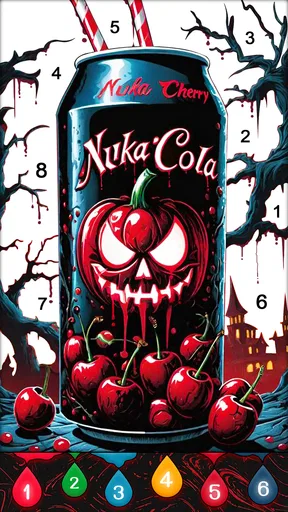
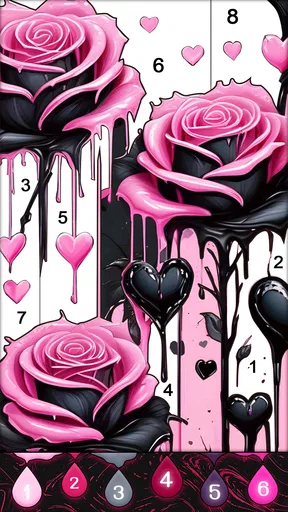
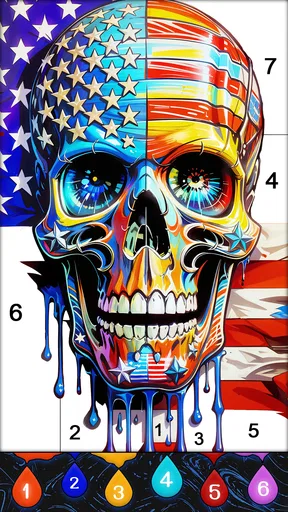
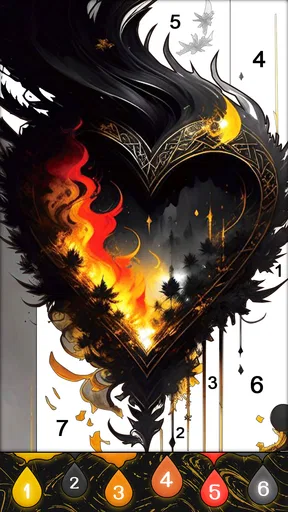
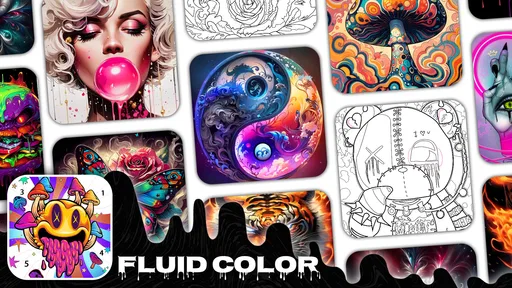
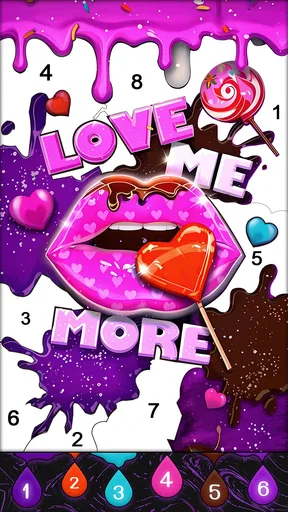
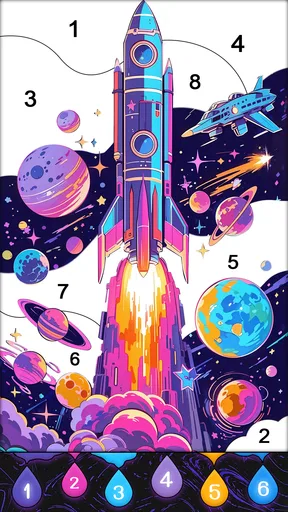
Our Review of Fluid Art:Color By Number
 Analysis by Appyee
I did not expect a board game built around coloring to hold my attention for long, but Fluid Art:Color By Number has a more distinctive feel than a standard paint-by-number app. Its central idea is simple: instead of filling a flat picture with ordinary taps, I work through a liquid-looking coloring page and watch the artwork develop through numbered areas. That small change makes each completed section feel more like arranging flowing color than merely checking boxes.
This is a free game from Fun Coloring World, listed in the Board category for Android. The store summary describes it as a fluid coloring experience for adults, although the age label is Everyone 10+, so I would describe it as accessible to a broad audience rather than strictly designed for adults. It has reached over 500 thousand installs and holds a 4.8 average from around 9.8 thousand ratings, which matches my impression that its relaxing presentation is the main reason people keep returning.
My recommendation is fairly specific: try it if you want a calm, low-pressure activity that gives you something visual to complete. I would not choose it as a replacement for a competitive board game, a deep puzzle, or a full digital painting tool. Its appeal comes from the narrowness of the experience. It focuses on the satisfying connection between numbered spaces and fluid color, and that focus works best when I want to slow down rather than think several moves ahead.
Why the fluid coloring idea changes the experience
The important capability here is not simply coloring by number. It is the way the page is presented as a liquid artwork. In use, that gives the familiar numbered format a softer and more animated character. A conventional coloring app often feels like filling a printed illustration one region at a time. Here, I pay more attention to how neighboring colors sit together and how the finished image gains its shape as the remaining spaces disappear.
That visual effect changes the rhythm. I am not making creative decisions about a blank canvas, but I also do not feel as though I am only completing a checklist. The numbered guide provides structure, while the fluid look gives the result a little movement and atmosphere. For me, this is the strongest reason to choose it over a basic paint-by-number alternative.
The real benefit is controlled relaxation: the numbers remove the pressure of choosing a palette, while the liquid presentation keeps the task from feeling completely mechanical. That balance makes it suitable for short sessions when I want a clear beginning and end without a demanding challenge.
The board-game classification may seem unusual at first, but I can understand it when looking at the interaction rather than the subject matter. The game is organized around individual areas, recognition, and completion. There is no need to learn a complicated ruleset before starting. I simply follow the visual instructions and let the image provide the reward.
What happens during an ordinary session
I usually approach a picture by selecting a color that has several visible areas. This gives me a quick sense of progress and helps reveal the image’s structure. After that, I move between larger and smaller sections. Larger regions are useful when I want momentum; tiny areas are better when I am in a patient mood and want to concentrate on careful tapping.
The numbered method also creates a useful stopping point. I can finish a handful of areas, leave the picture, and return later without needing to remember a complicated strategy. That makes the game particularly convenient on a short break or at the end of the day. The task is self-contained, and the visual state of the image tells me immediately what remains.
One practical tip is to avoid treating every picture as a race to completion. I get more from the liquid effect when I pause occasionally and look at how the emerging colors balance each other. If I rush through every available number, the game becomes repetitive. If I alternate between quick sections and more detailed areas, the process feels more deliberate.
Another useful approach is to use the numbered structure as a concentration exercise. When I am distracted, I start with the most obvious areas and gradually move toward the less noticeable ones. This gives my attention a simple target. It is not demanding enough to become stressful, but it requires more involvement than passively watching a video or scrolling through a feed.
A realistic everyday use case
Imagine finishing work or school with fifteen quiet minutes before dinner. You may not want to begin a long game, read a difficult article, or open a creative program that requires decisions. This is where the app makes sense. I can open a coloring page, complete a few numbered sections, and stop when I feel ready to move on. There is no elaborate setup and no need to compete with anyone else.
The same pattern works during travel or while waiting for an appointment, provided the phone has enough battery and the surrounding environment makes tapping comfortable. The short-session design is more important than it may appear. Many creative apps ask me to commit to a project; this one lets me make visible progress in small pieces.
It can also work for someone who wants a gentle shared activity with a younger family member, but I would still keep the Everyone 10+ label in mind. The interaction is approachable, yet the appeal may depend on whether the player enjoys patient repetition. A child looking for fast action may lose interest, while someone who likes colors and gradual completion may find it absorbing.
How it compares with familiar alternatives
Compared with a regular coloring book on paper, the app is cleaner and easier to restart. I do not need pencils, an eraser, or a table surface, and the numbered guidance removes the problem of choosing matching colors. The trade-off is that the result stays inside the phone. If the tactile feel of paper and the freedom to shade outside the lines are central to your enjoyment, a physical coloring book remains the better choice.
Compared with a free-form digital painting app, this game is much less intimidating. I do not need to understand brushes, layers, opacity, or color mixing. That simplicity is a strength for casual users, but it also defines the limit. I cannot approach it expecting the same control as a drawing application. The pleasure comes from revealing a prepared image, not from creating an original composition from an empty screen.
Compared with traditional board games, it has almost none of the social or strategic tension that usually defines the category. There are no turns to negotiate, opponents to read, or tactical decisions to weigh. I would choose a conventional board game when I want interaction with friends. I choose this one when I want a solitary, visually focused activity that does not punish mistakes.
It also differs from fast mobile games because progress is not built around reflexes. There is no reason to hurry, and the strongest sessions are often the quietest ones. That makes it a poor fit for anyone seeking excitement, but a good fit for players who find satisfaction in orderly completion.
Where the experience can become repetitive
The same structure that makes the game relaxing can eventually make it feel predictable. Numbered coloring naturally repeats the cycle of selecting a color and filling its matching spaces. The fluid presentation adds personality, but it does not turn the activity into a deep strategy system. If I play for too long without a break, I notice the routine more clearly.
My solution is to treat it as a small daily activity rather than an endless session. Completing one image or a manageable portion feels rewarding; forcing myself to continue after the calming effect has faded does not. This is an important distinction for prospective users. The game is strongest when used as a pause, not as a primary source of long-term challenge.
There is also a financial point to consider. The game is free to install, while in-app purchases range from $1.99 to $59.99 per item. That broad range means I would approach optional spending carefully and decide in advance whether the basic experience already satisfies me. For a casual player, the free entry is useful, but anyone tempted by repeated purchases should keep the cumulative cost in view.
I also would not recommend it to someone who wants complete artistic control. The numbered system tells me where each color belongs, so my creative role is limited. I can choose the pace and the order of my work, but not the underlying design. That is not a flaw for its intended style, yet it becomes a clear limitation if personal expression is the main goal.
Small techniques that make the format more satisfying
One technique I found helpful is to alternate between color-led and area-led play. In color-led play, I focus on one number and clear several matching sections. In area-led play, I choose a visually important region and work through whatever numbers it contains. The first method produces quick progress; the second helps me understand how the picture is being assembled. Switching between them keeps the routine from becoming too automatic.
I also recommend using the smallest sections as a deliberate final step rather than treating them as annoying leftovers. When most of the image is complete, those details often have the greatest effect on the finished appearance. Saving them for the end creates a stronger sense of reveal, especially when I want the last few minutes of a session to feel conclusive.
A third insight is that the game can serve different moods without changing its rules. On a tired evening, I use the easiest visible sections and let the repetition settle my attention. On a more focused day, I work slowly through detailed areas and observe how the liquid-style image becomes more coherent. The app does not need separate modes to support those moods; the player’s pace changes the experience.
For users concerned about whether it is suitable for their device, the listed minimum operating system is Android 7.0 or later. The current version is 1.50.251. Those details matter because this is the kind of app I would use on an older spare phone, and checking compatibility before installing is sensible if that device has not been updated in a long time.
Who is likely to enjoy it most
I think the best audience is people who enjoy visual progress but do not want the pressure of competition. It suits anyone who likes paint-by-number activities, gentle mobile games, or short concentration exercises. It can also appeal to users who find free-form drawing intimidating and prefer a clear guide that still produces an attractive result.
It is especially useful for building a small screen break into a routine. I can use it after a demanding task, before sleep if screen use does not disturb me, or during a quiet waiting period. The important word is “small.” Its value comes from fitting into spare moments, not from replacing a hobby that offers broad creative growth.
I would suggest skipping it if you need multiplayer interaction, sophisticated puzzles, fast reactions, or unrestricted painting. I would also be cautious if repetitive tapping quickly frustrates you. In those cases, a strategy board game, a social game, or a full drawing app would offer a more suitable kind of engagement.
My final take on the free coloring game
Fluid Art:Color By Number succeeds because it gives a familiar paint-by-number format a clear visual identity. The liquid presentation makes the act of filling numbered spaces feel softer and more rewarding, while the simple structure keeps the game easy to pick up. I enjoyed it most when I treated each picture as a short, calming project rather than expecting endless novelty.
Fun Coloring World has made something approachable, and the strong 4.8 average from roughly 9.8 thousand ratings suggests that this focused idea connects with many players. The free price makes it easy to test, although the optional purchases deserve attention before spending. Its Everyone 10+ label also makes it broadly approachable, while still signaling that it is not necessarily aimed at very young children.
My honest verdict is that this is worth trying for quiet, visual downtime. It is not a substitute for a real board game or a creative studio, and its repeated coloring cycle will not suit everyone. But if you want to turn a few spare minutes into a finished, fluid-looking image, it offers a pleasant and unusually focused way to do that.
Verdict
Strengths of Fluid Art:Color By Number
- Relaxing color-by-number gameplay suitable for short creative sessions.
- Wide range of fluid art designs with colorful, abstract patterns.
- Simple controls make it accessible for beginners of all ages.
- Completed artworks can be saved and shared with friends.
- Progress is easy to follow, even when returning after a break.
Limitations of Fluid Art:Color By Number
- Some designs and features may require in-app purchases to unlock.
- Repeated tapping can feel tedious on larger, highly detailed pictures.
- Ads may interrupt the experience, especially between completed artworks.
- Limited creative freedom compared with drawing or free-painting apps.
- The app may become repetitive once familiar with its coloring format.
Other Releases by Fun Coloring World
View All
Graffiti Quote Color by number
Board4.8

Bible Color - Color By Number
Board4.8
Similar Picks in This Category
View All
Ludo King®
Gametion4.1

Ludo
Yarsa Games4.6

Tile Master® - Matching Game
Higgs Studio3.6

Checkers Online
CC Games4.6

Dominoes
Loop Games4.7

Chess
Chess Prince4.6
Frequently Asked Questions
What is Fluid Art: Color By Number?
Fluid Art: Color By Number is a relaxing coloring game that combines paint-by-number mechanics with the flowing appearance of liquid or abstract art. You choose an artwork, select the numbered colors, and fill each area by tapping the screen. As the image develops, the app creates a colorful result without requiring traditional drawing skills or artistic experience.
How does the coloring system work?
The gameplay is straightforward and suitable for casual sessions. Each picture contains numbered sections, and the available colors correspond to those numbers. Tapping a color highlights the matching areas, making them easier to find and complete. When you finish the required sections, the artwork is completed and can usually be viewed as a polished, vibrant image.
Is Fluid Art: Color By Number free to download and play?
The app can generally be downloaded for free, but the exact experience may include advertising, optional purchases, or premium content depending on the version and platform. Some pictures or features may require watching an advertisement or unlocking them through an in-app purchase. It is worth checking the store listing and purchase details before downloading.
Does the game require an internet connection?
An internet connection may be needed for downloading the app, loading new artwork, displaying advertisements, synchronizing progress, or accessing optional online features. Basic coloring could work offline in some situations, particularly for images already downloaded, but this can vary by device and app version. For the most reliable experience, launch it online at least initially.
Who would enjoy Fluid Art: Color By Number?
This game is a good choice for players who enjoy calming, low-pressure activities rather than fast action or complex challenges. It may appeal to children, adults, and anyone interested in digital coloring, abstract visuals, or short relaxing sessions. However, users who prefer advanced drawing tools, completely freehand creativity, or highly competitive gameplay may find the experience repetitive over time.
Play our best games!


